EXLAB
ESP cheat for STALCRAFT: X: player, bot and artifact ESP with customizable boxes, distance and a custom crosshair.
EXLAB is a private ESP cheat for STALCRAFT: X. It draws players, bots and artifacts through walls with customizable boxes (regular, corner, regular 3D, corner 3D), labels and distance to the target. Each category has its own maximum display distance and separate colors for the box, name and distance. Artifacts can also be drawn with a dot marker and dynamic boxing that smoothly grows as you get closer. The Overlay adds a custom crosshair on top of the game (cross, circle or dot) with a color picker. Every ESP and overlay feature can be bound to a hotkey, and settings are saved, loaded and transferred via config (save to file, copy and paste through the clipboard). The interface is available in English and Russian with a search-by-function filter. Professional tool for STALCRAFT: X with extended capabilities. Includes many features to enhance gameplay and increase effectiveness in the Zone. Regular updates ensure compatibility with the latest game versions.
This product is developed with modern security and stability requirements in mind. Intuitive interface allows you to quickly master all program capabilities.
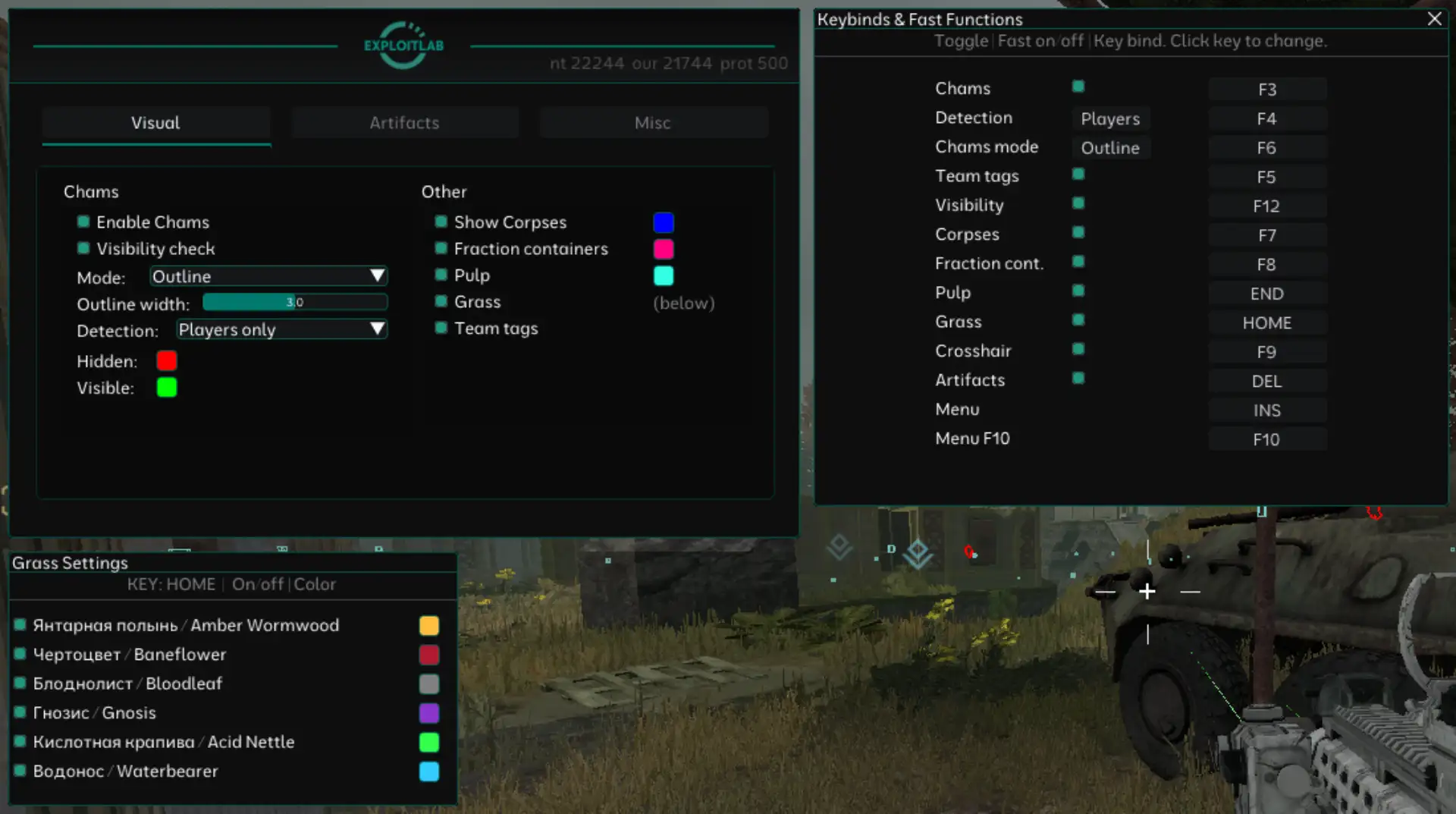
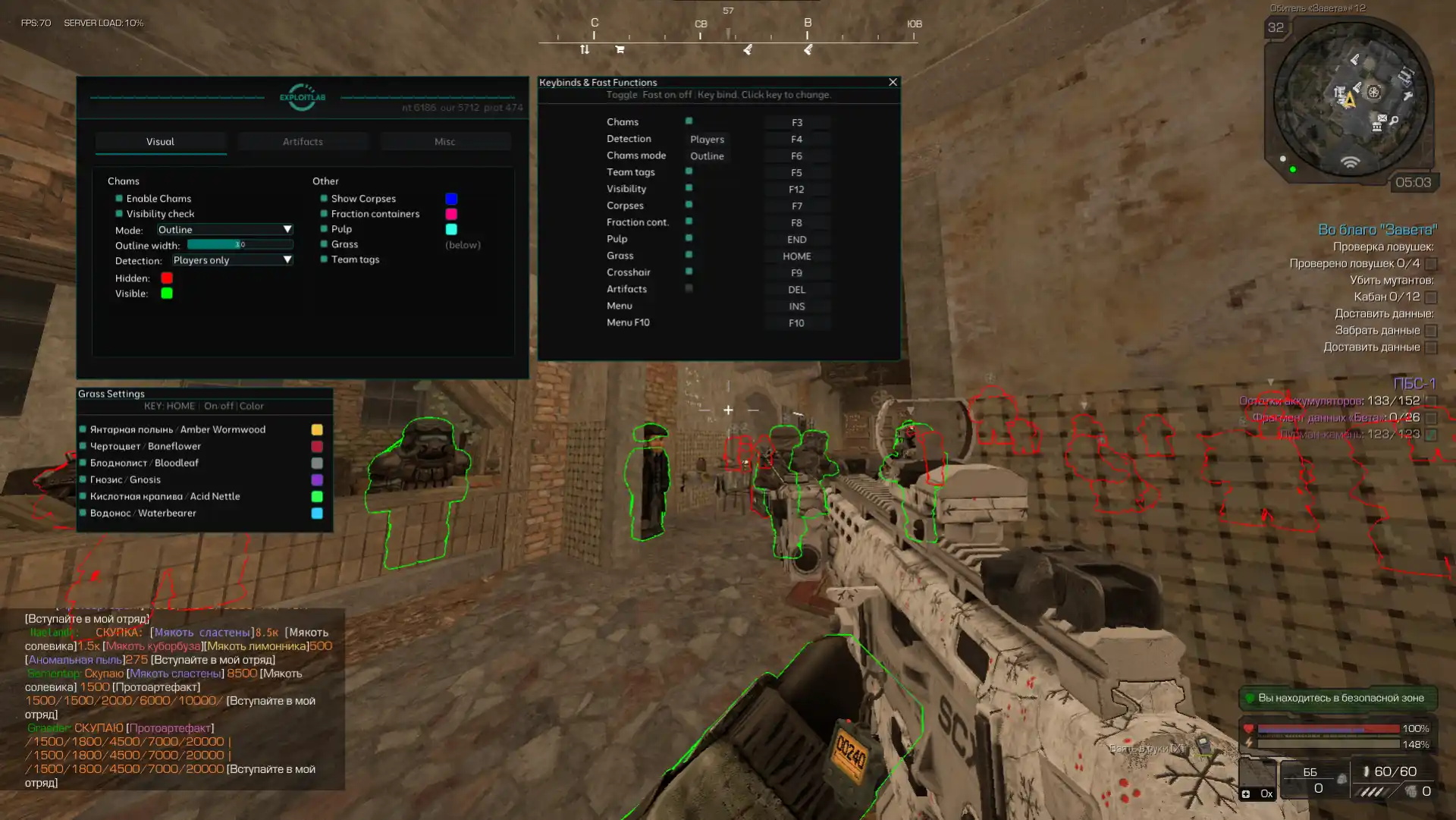
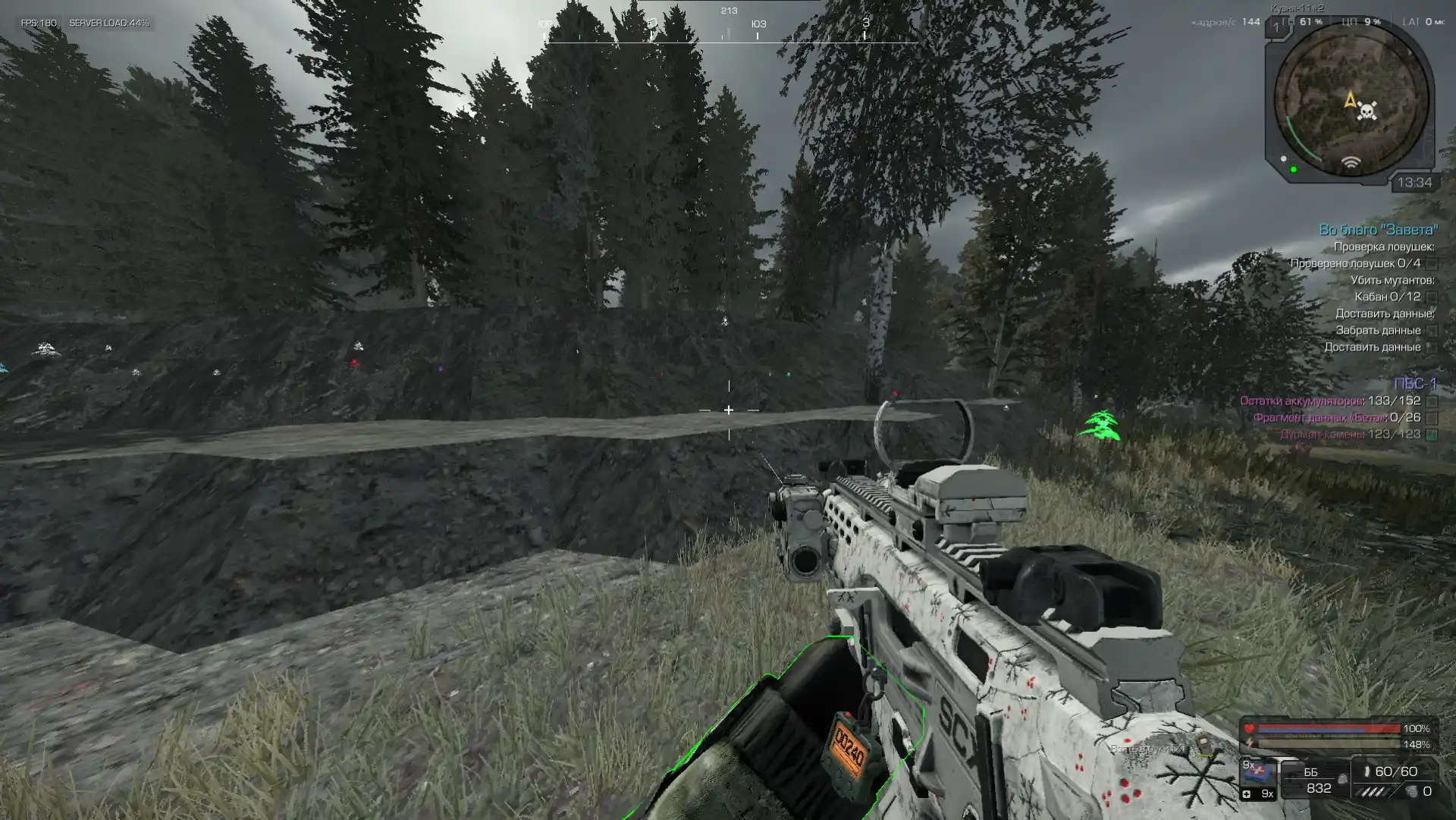
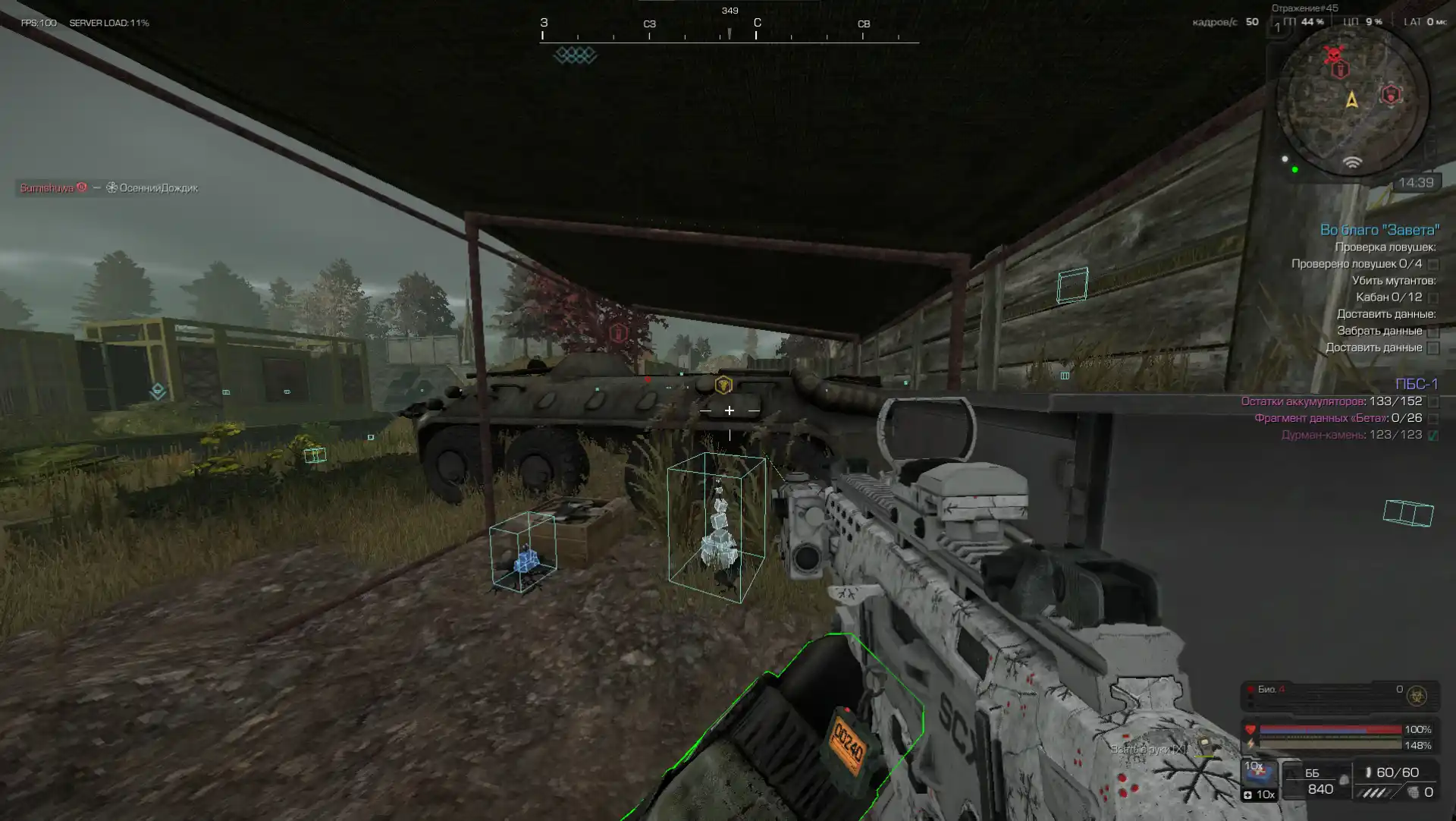
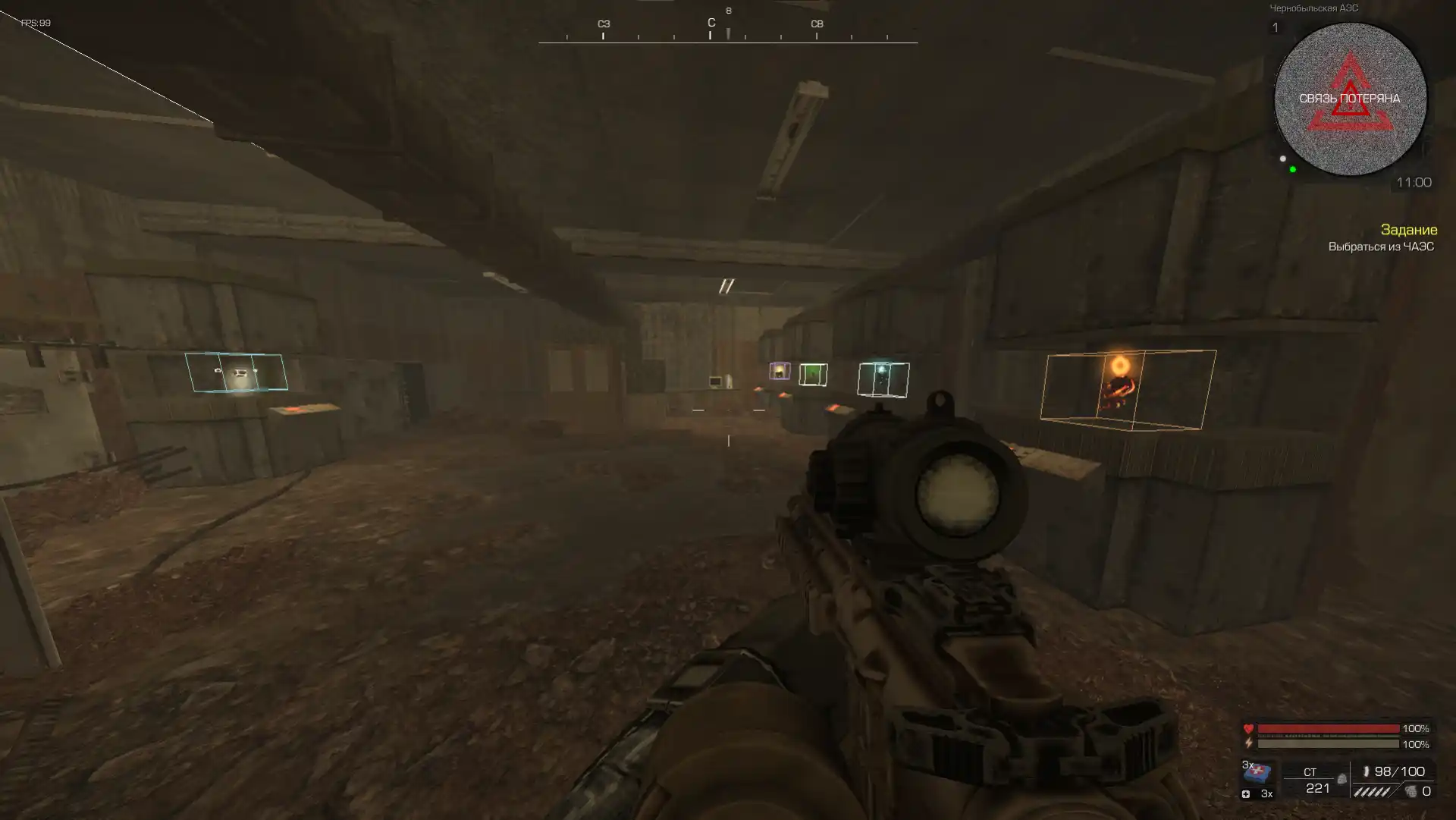
Player ESP
Player ESP master switch
Draws an outline of the box around the player
Shows the "Player" caption
Shows the distance to the player
Maximum display distance of ESP players
Boxing style: regular / corner / regular 3D / corner 3D
Separate color settings for the player box, name and distance
Drag distance and name markers to anchor points on the silhouette
Bot ESP
Main switch for ESP bots
Draws a box outline around the bot
Shows the "Bot" caption on the ESP
Shows the distance to the bot in meters
Maximum rendering distance for ESP bots
Boxing style: regular / corner / regular 3D / corner 3D
Separate color settings for the bot box, name and distance
Drag distance and name markers to anchor points on the silhouette
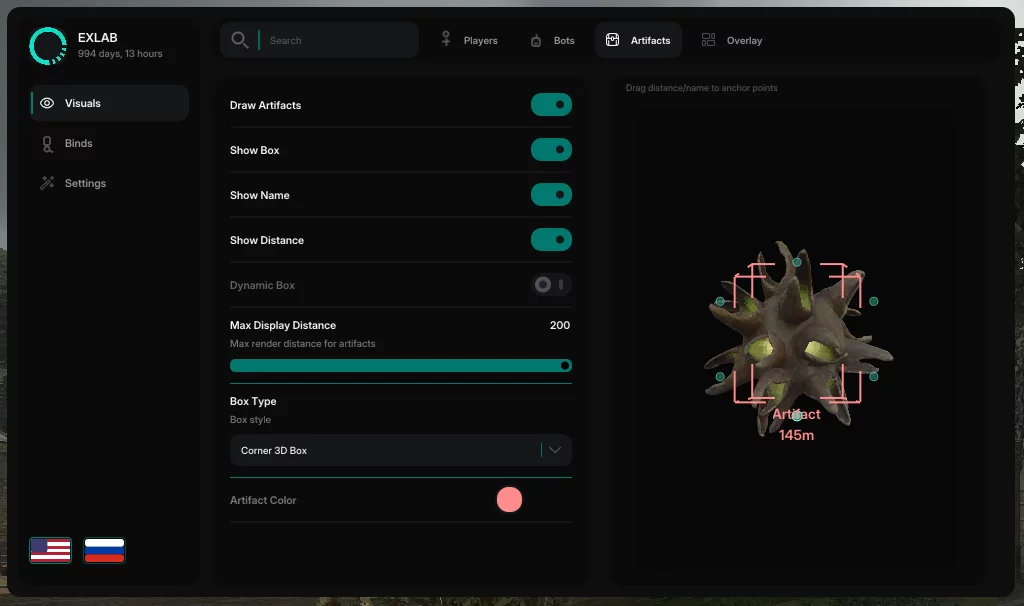
Artifact ESP
ESP artifacts master switch
Draws a box or artifact marker on the screen
Shows the "Artifact" caption on the ESP
Shows the distance to the artifact in meters
Smoothly increases the size of the artifact box over the distance
Maximum distance for drawing ESP artifacts
Marker style: regular / corner / regular 3D / corner 3D / dot marker
Color of the box, name and distance of the artifact
Drag distance and name markers to anchor points
On-screen overlay
Draws a custom crosshair in the center of the screen on top of the game
Sight style: cross / circle / dot
Sight color
Hotkeys
Menu toggle (primary and secondary key)
Show/hide the ESP overlay on screen
Turn ESP players on/off with a key press
Turn ESP bots on/off with a key press
Turn ESP artifacts on/off with a key press
Turn the sight on/off with a key press
Config and other options
Save and load settings, copy and paste the config via the clipboard, reset to default values
Fully unload the cheat
Overlay text size
Reduces the size of ESP labels as the distance to the target increases (with a configurable zoom distance)
Interface switching: English / Russian
Filter settings by name in the top panel
Please note: certain software features may be temporarily disabled for improvements or updates. New features may also be added.